

Documentation Index
Fetch the complete documentation index at: https://astronomer-preview.mintlify.app/llms.txt
Use this file to discover all available pages before exploring further.
Public PreviewThe no-code UI for blueprint within the Astro IDE is in Public Preview.
Write Blueprint templates tutorial
For data engineers and platform teams. Learn how to define reusable blueprints in Python and make them available to your team members in the Astro IDE.
Use Blueprint on Astro tutorial
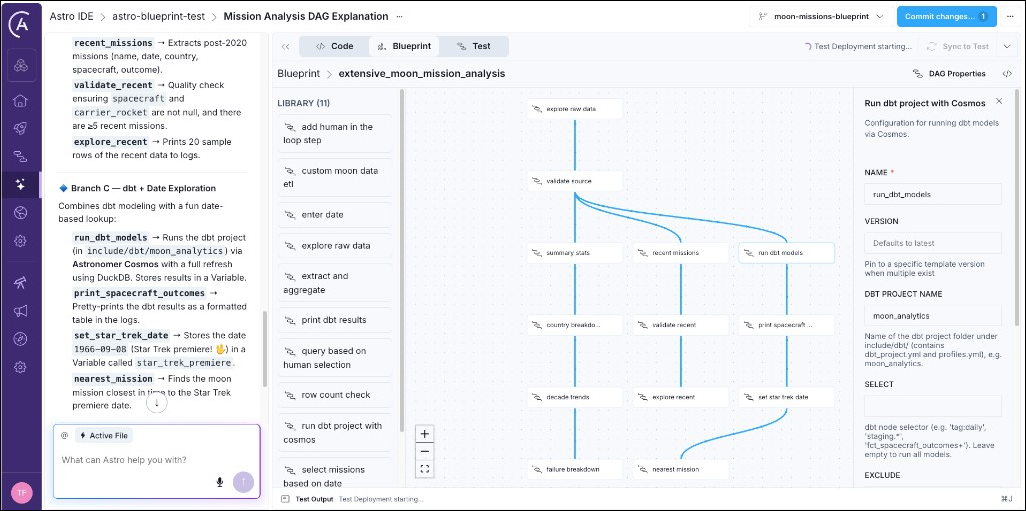
For analysts, data scientists, and other team members, who prefer a no-code interface for defining workflows. Learn how to build pipelines from templates using the Astro IDE.
What can a blueprint do?
A blueprint can contain any logic you can write in Python. If you are familiar with Airflow, you can think of a blueprint as a self-contained task group containing one or more tasks defined with operators or decorators. The blueprint author writes the logic in Python and end users assemble one or more blueprints into an Airflow Dag either using YAML or the drag-and-drop no-code interface in the Astro IDE. Here are some examples of what you can do with a blueprint:- Execute SQL queries against a data warehouse
- Run a dbt project using Cosmos
- Orchestrate an AI agent or large language model (LLM) call
- Add human-in-the-loop approval steps
- Run data quality checks on a table
- Execute a complex multi-step workflow while only exposing a few key configuration parameters
When to use Blueprint
Blueprint is a good fit when:- You want to encode workflow patterns in Python so analysts, data scientists, and other team members can compose and change Dags through YAML or the no-code UI without writing Python code.
- You have recurring pipeline patterns (extract-transform-load, model training, report generation) that differ only in configuration and benefit from standardization.