

Documentation Index
Fetch the complete documentation index at: https://astronomer-preview.mintlify.app/llms.txt
Use this file to discover all available pages before exploring further.
The MLflow Airflow provider has been deprecated and is no longer maintained. This use case was kept for reference purposes only.
Before you start
Before trying this example, make sure you have:- The Astro CLI.
Clone the project
Clone the example project from the Astronomer GitHub. To keep your credentials secure when you deploy this project to your own git repository, make sure to create a file called.env with the contents of the .env_example file in the project root directory.
The repository is configured to spin up and use local MLflow and MinIO instances without you needing to define connections or access external tools.
Run the project
To run the example project, open your project directory and run:- The Airflow webserver, which runs the Airflow UI and can be accessed at
https://localhost:8080/. - The Airflow scheduler, which is responsible for monitoring and triggering tasks.
- The Airflow triggerer, which is an Airflow component used to run deferrable operators.
- The Airflow metadata database, which is a Postgres database that runs on port
5432. - A local MinIO instance, which can be accessed at
https://localhost:9000/. - A local MLflow instance, which can be accessed at
https://localhost:5000/.
Project contents
Data source
This example uses the Possum Regression dataset from Kaggle. It contains measurements of different attributes, such as total length, skull width, or age, for 104 possums. This data was originally published by Lindenmayer et al. (1995) in the Australian Journal of Zoology and is commonly used to teach linear regression.Project overview
This project consists of three DAGs which have dependency relationships through Airflow datasets.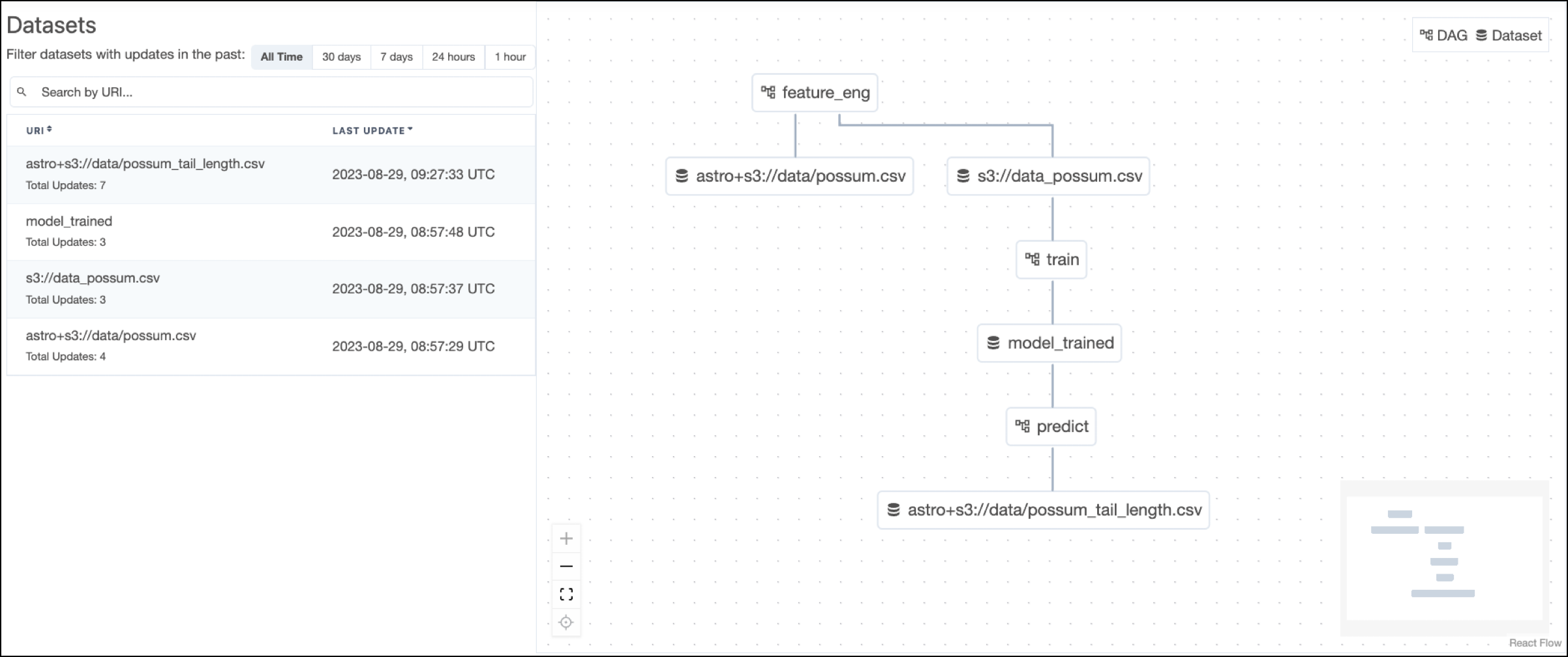 The
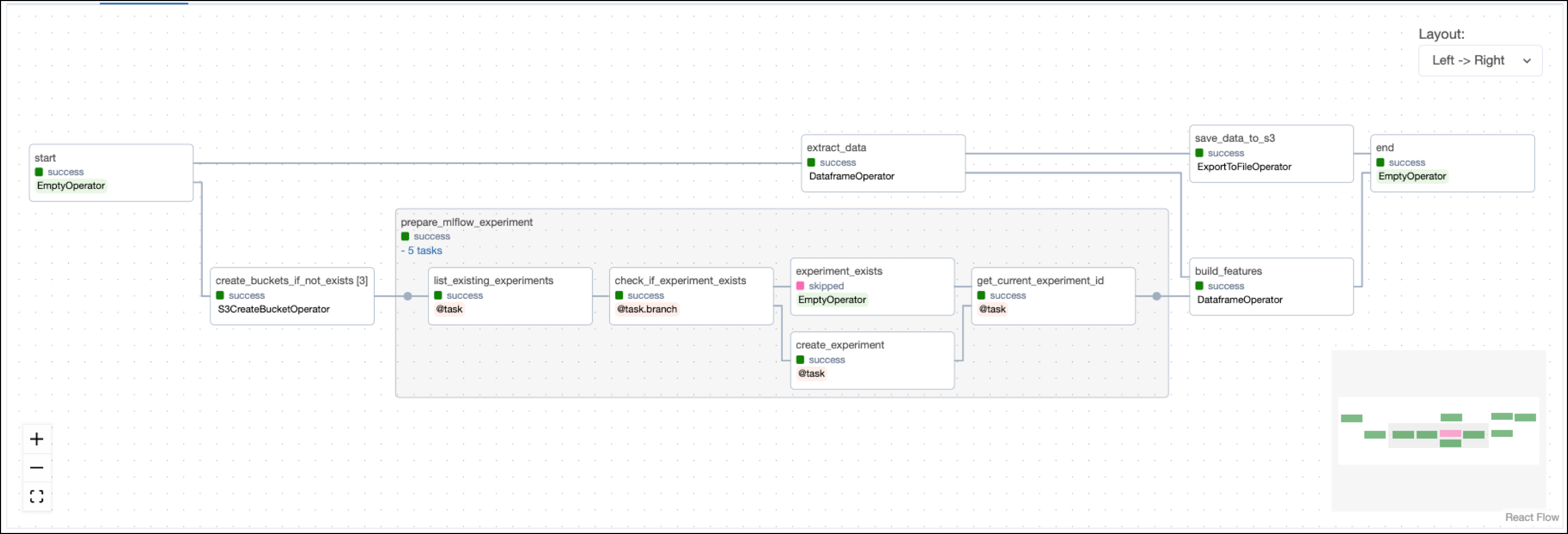
The feature_eng DAG prepares the MLflow experiment and builds prediction features from the possum data.
 The
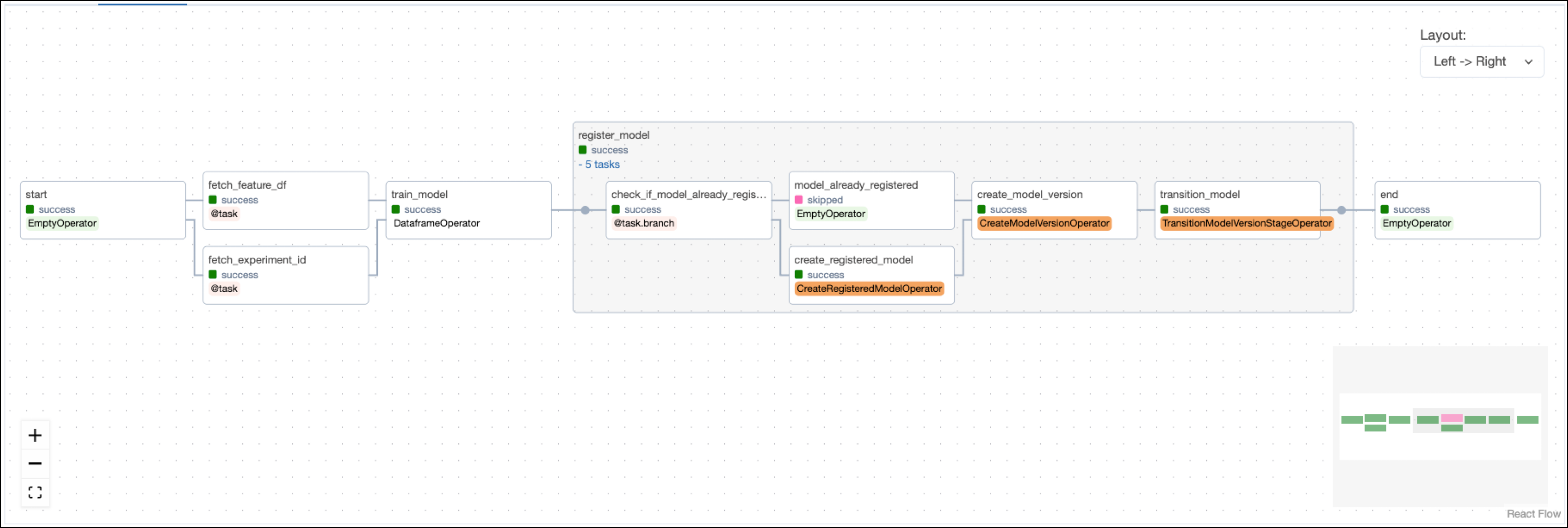
The train DAG trains a RidgeCV model on the engineered features from feature_eng and then registers the model with MLflow using operators from the MLflow Airflow provider.
 The
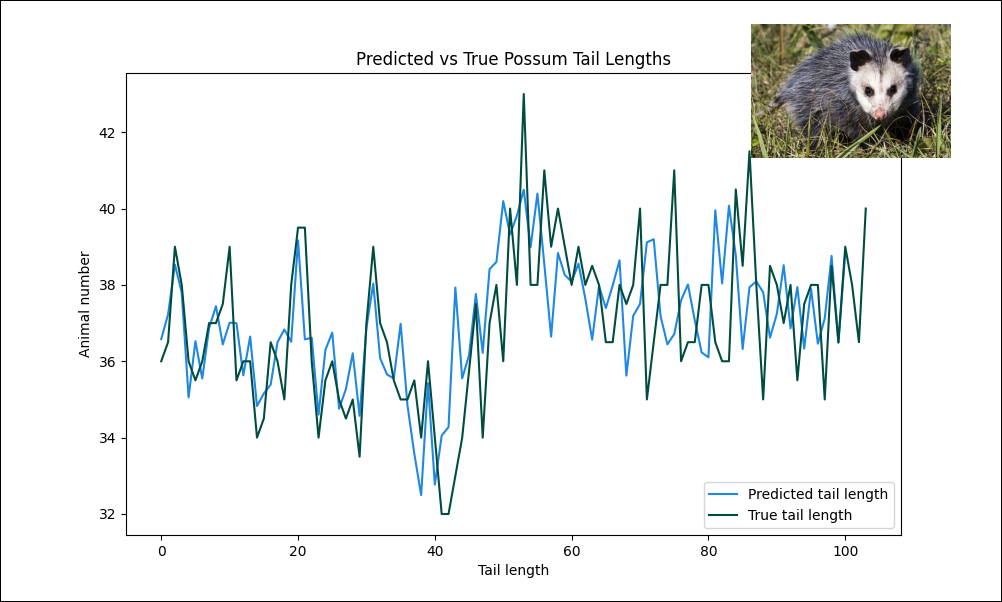
The predict DAG uses the trained model from train to create predictions and plot them against the target values.
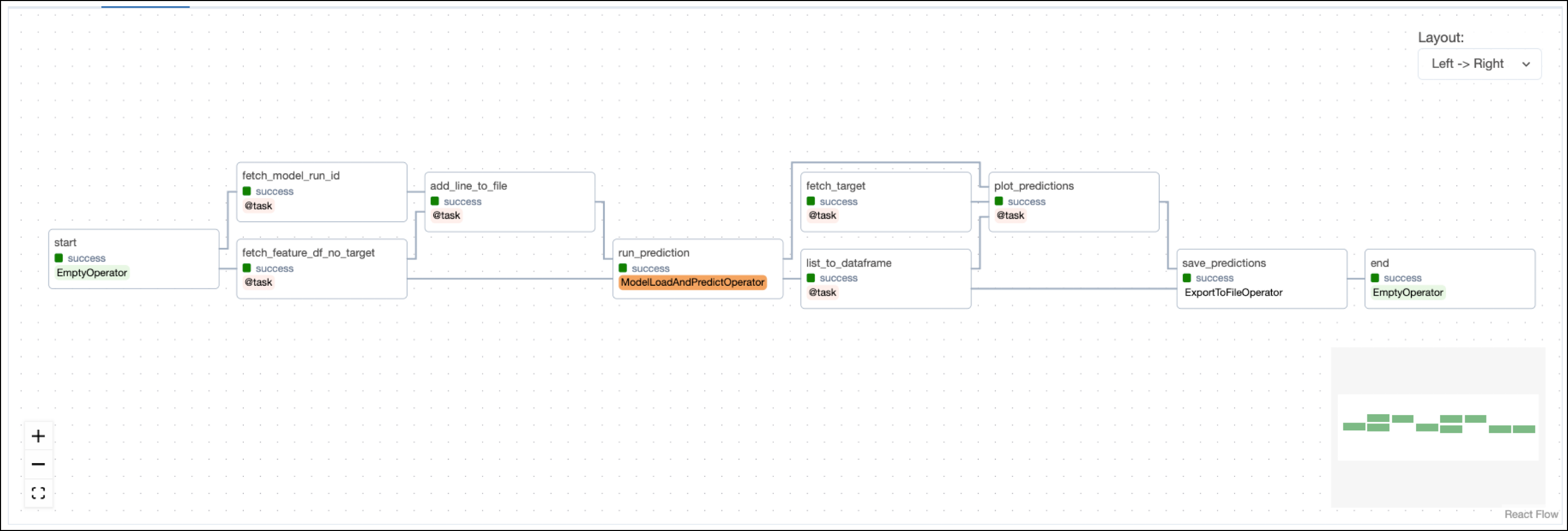 Note that the model is trained on the whole dataset and predictions are made on the same data. In a real world scenario you’d want to split the data into a training, validation, and test set.
Project code
This use case shows many Airflow features and ways to interact with MLflow. The following sections will highlight a couple of relevant code snippets in each DAG and explain them in more detail.Feature engineering DAG
The feature engineering DAG starts with a task that creates the necessary object storage buckets in the resource provided asAWS_CONN_ID using the S3CreateBucketOperator. By default, the project uses a local MinIO instance, which is created when starting the Astro project. If you want to use remote object storage, you can change the AWS_CONN_ID in the .env file and provide your AWS credentials credentials.
The operator is dynamically mapped over a list of bucket names to create all buckets in parallel.
prepare_mlflow_experiment task group contains a pattern that lists all existing experiments in the MLflow instance connected via the MLFLOW_CONN_ID. It also creates a new experiment with a specified name if it does not exist yet using the @task.branch decorator. The MLflowClientHook contains the run method that creates the new experiment by making a call to the MLflow API.
build_features task completes feature engineering using Pandas to one-hot encode categorical features and scikit-learn to scale numeric features.
The mlflow package is used to track the scaler run in MLflow.
The task is defined using the @aql.dataframe decorator from the Astro Python SDK.
localhost:5000.
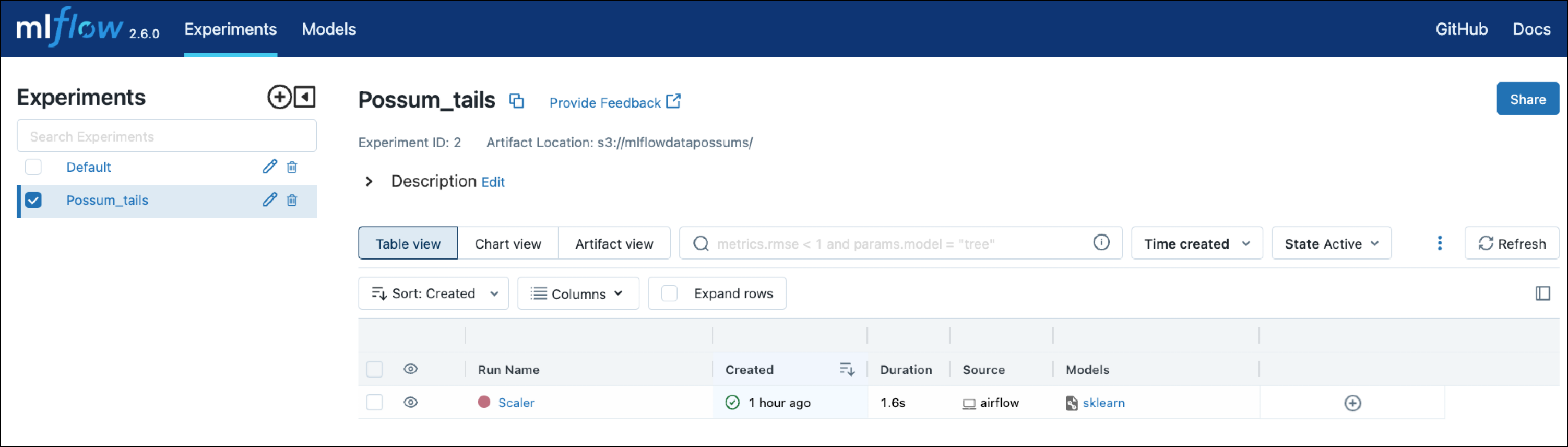
Model training DAG
Airflow datasets let you schedule DAGs based on when a specific file or database is updated in a separate DAG. In this example, the model training DAG is scheduled to run as soon as the last task in the feature engineering DAG completes.fetch_feature_df task pulls the feature dataframe that was pushed to XCom in the previous DAG.
fetch_experiment_id task in order to track model training in the same experiment.
The train_model task, defined with the @aql.dataframe decorator, shows how model training can be parameterized when using Airflow. In this example, the hyperparameters, the target_colum, and the model class are hardcoded, but they could also be retrieved from upstream tasks via XCom or passed into manual runs of the DAG using DAG params.
The project is set up to train the scikit-learn RidgeCV model to predict the tail length of possums using information such as their age, total length, or skull width.
localhost:5000.
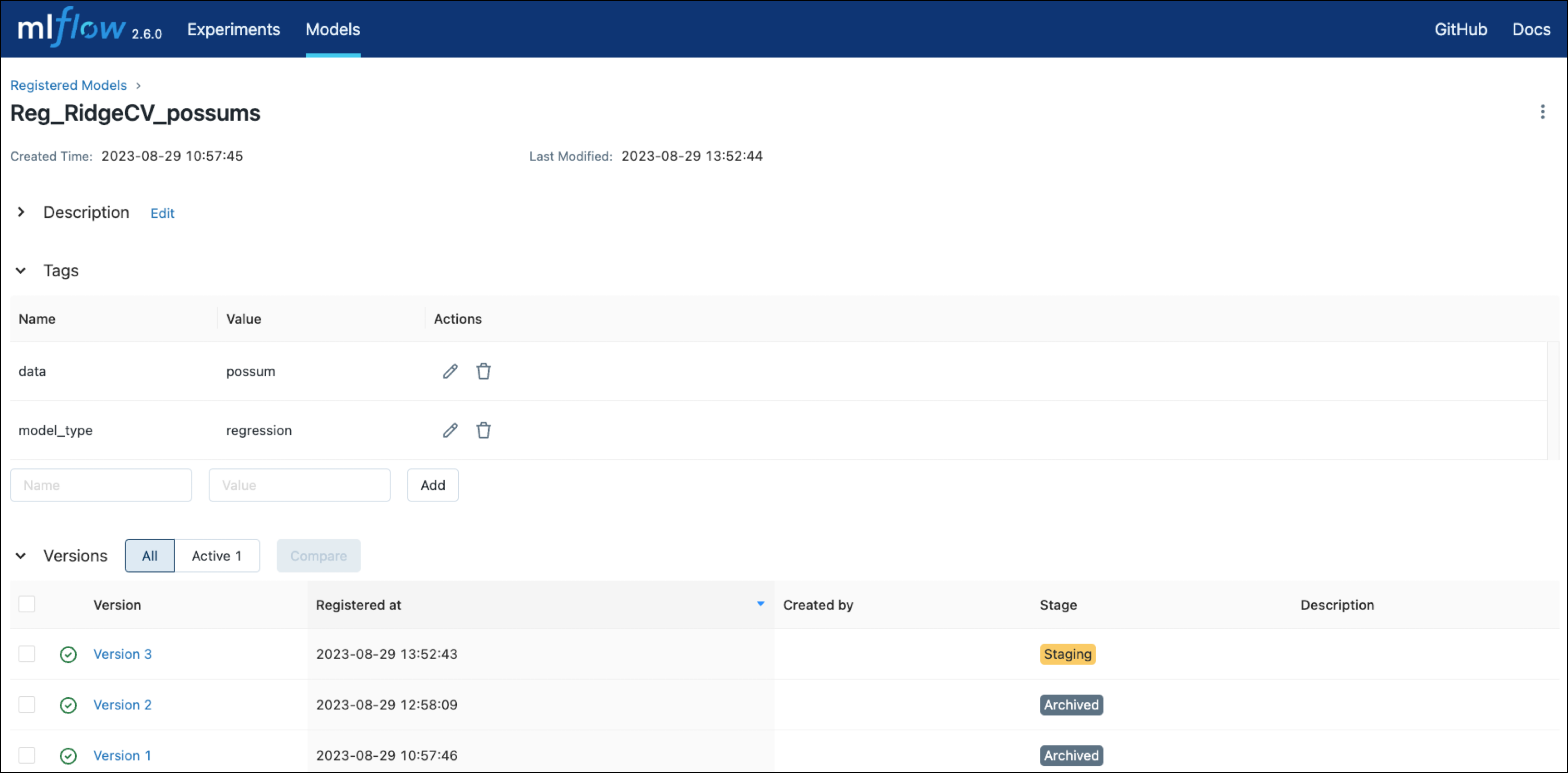
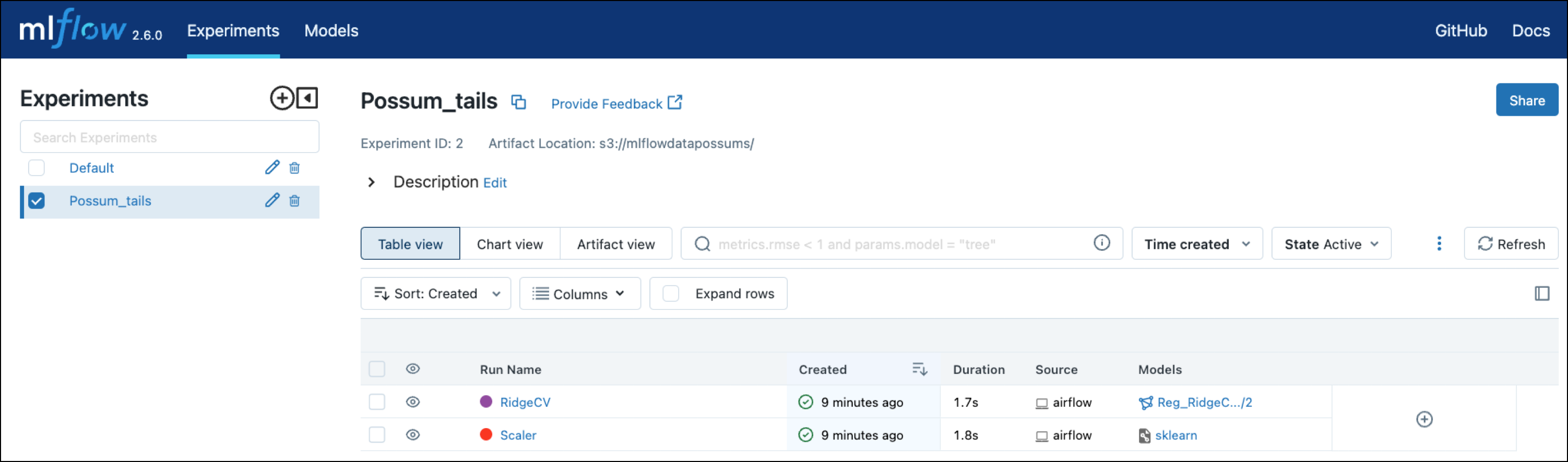 Lastly, the model training DAG registers the model and its version with MLflow using three operators from the MLflow Airflow provider. Note how information like the
 run_id or version of the model is pulled from XCom using Jinja templates.
localhost:5000.
Prediction DAG
After retrieving the feature dataframe, the target column, and themodel_run_id from XCom, the run_prediction task uses the ModelLoadAndPredictOperator to run a prediction on the whole dataset using the latest version of the registered RidgeCV model.
See also
- Documentation: MLflow.
- Tutorial: Use MLflow with Apache Airflow.
- Provider: MLflow Airflow provider.