

Transferring a Deployment can be helpful when your team needs to change user access to a Deployment. Transferring a Deployment moves all dags, task history, connections, and other Astro configurations to another Workspace. This process does not affect your task scheduling or any currently running tasks.Documentation Index
Fetch the complete documentation index at: https://astronomer-preview.mintlify.app/llms.txt
Use this file to discover all available pages before exploring further.
Prerequisites
- You must be a Workspace Owner or Operator in both the original Workspace and the target Workspace.
- The Workspaces must be in the same Organization.
- Deployments cannot be transferred to a different cluster from the one in which they were created.
- Only the users who are members of the target Workspace can access the Deployment after it is transferred.
Transfer a Deployment to another Workspace
- In the Astro UI, select a Workspace, click Deployments, and then select a Deployment.
-
Click the Options menu and select Transfer Deployment.
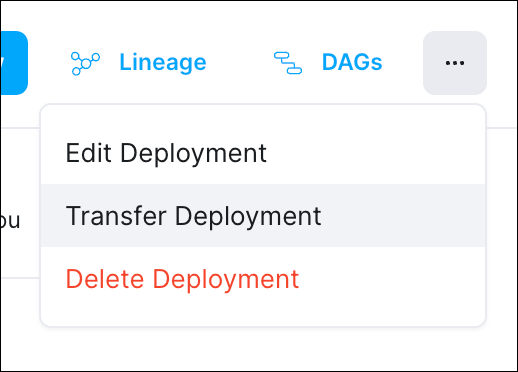
- Select the target Workspace where you want to transfer the Deployment.
- Click Transfer Deployment.