

In Observe, a data product is a composition of assets that deliver a result with business relevance. Observe automatically infers upstream dependencies for the assets that define a data product, like an Airflow dag that populates a dashboard or a Snowflake table powering a recommendation engine.Documentation Index
Fetch the complete documentation index at: https://astronomer-preview.mintlify.app/llms.txt
Use this file to discover all available pages before exploring further.
For guidance on identifying data products in your organization, see how to identify data products in your organization.
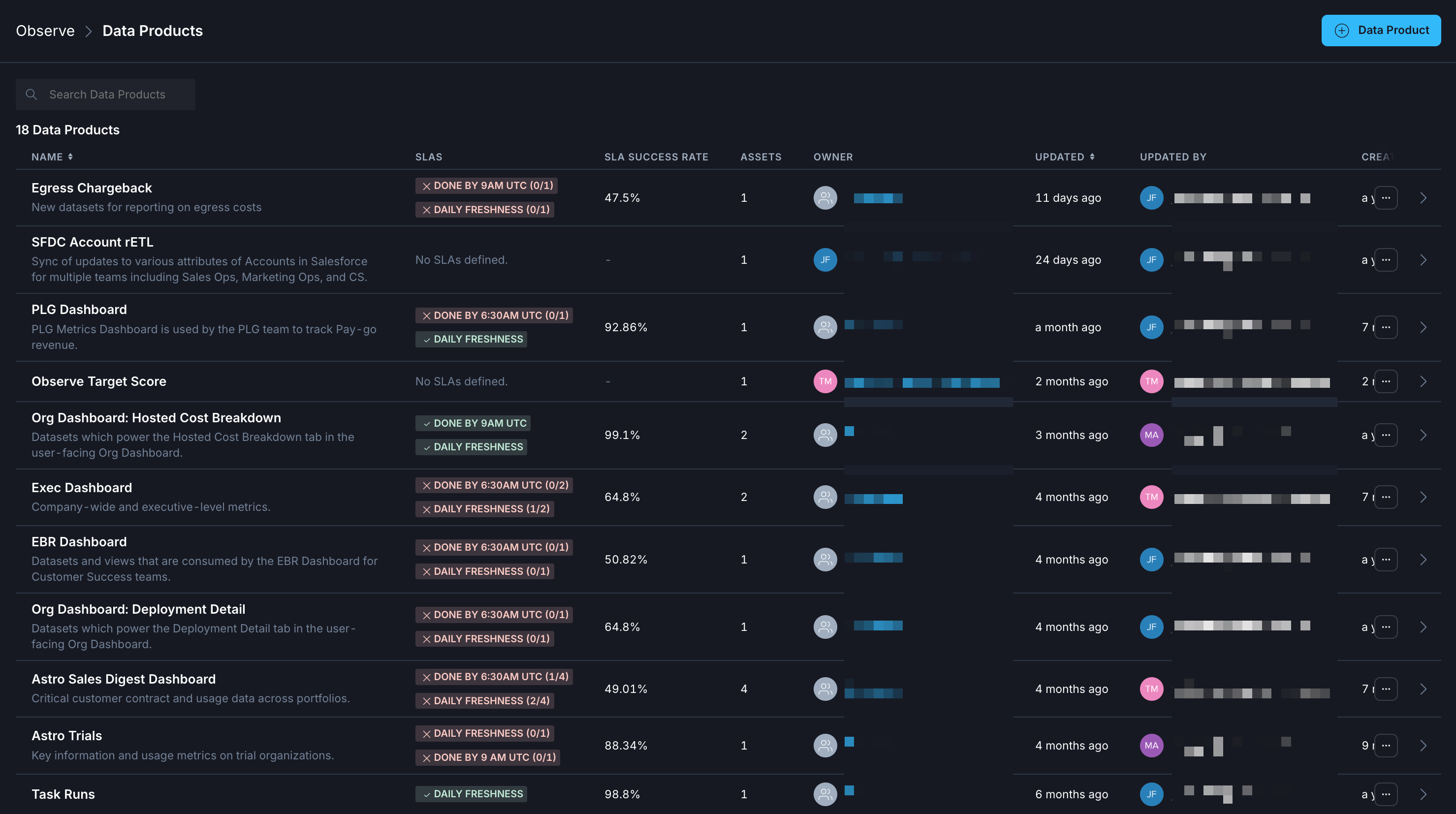 The following procedures describe how to create data products and leverage them to gain insight across pipelines and deployments. After you create a data product, then you can view data product details.
Prerequisites
See Observe prerequisitesCreate a data product
From the Asset Catalog
- In the sidebar, go to Observe > Asset Catalog.
- Click + Create Data Product.
From the Data Products page
- In the sidebar, go to Observe > Data Products.
- Click + Data Product.
See Create a data product monitor for information on monitoring data products.
View your data product details
After you create a data product, you can view in-depth details about the performance of your assets by selecting your data product for a closer look.- Click Observe in the Astro UI, and then click Data Products.
- Choose the data product that you want to view details about.
Overview
The overview tab provides summary information about the assets in your data product and the rates of overall SLA success rates, consolidated into daily, weekly, and monthly overall rates. This view allows you to quickly identify trends in historical data for your business-critical pipelines.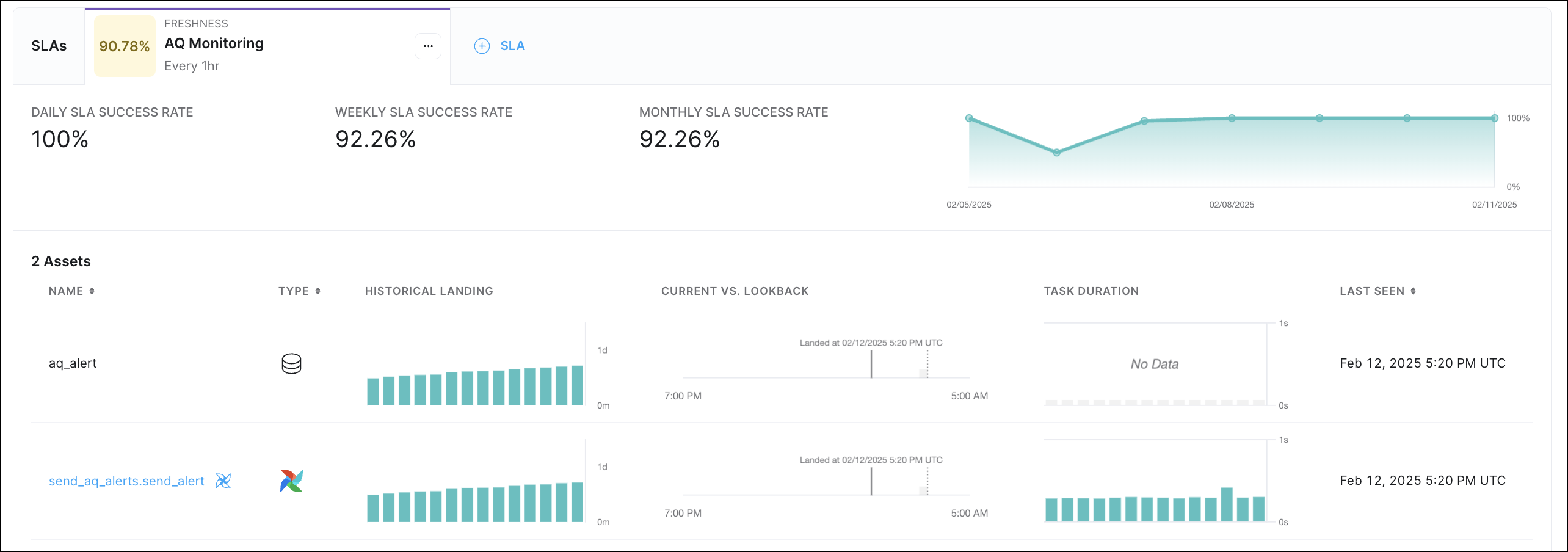
Event timeline
Each Data Product in Observe has an Event Timeline that reflects activity from the assets, like dag and task completion, and key issues, like breached SLAs and triggered alerts, in that data product. The event timeline supports filtering by event status along with more fine-grained filters. Selecting any particular event displays metadata about the event, including the notification history of a triggered alert. The event timeline view allows you to see a record of events associated with your data product. These are categorized into Success, Neutral, and Failure events.Success events
- SLA Success
- Task Success
- Task Start
Neutral events
- Airflow dataset write
- OpenLineage dataset write
Failure events
- Alert notification
- SLA Breach
- Task failure
Assets
The Assets tab shows the assets included in the specific data product. If you select an asset from the list to examine in-depth, you can see additional asset-specific details. See Assets for descriptions.Metrics
Data products that include Airflow task assets report the following metrics by default:- Task retries
- Task failures
- Task duration